ZenoOS · Restaurant operating system
Run every service from one connected system.
Connect orders, kitchen workflows, payments, and reporting. Then turn your restaurant's daily activity into clearer decisions with Zeno Intelligence.
Your restaurant shouldn't run on disconnected information.
Orders move from the floor to the kitchen. Payments happen at the counter. Managers review the numbers afterward. When these activities are disconnected, it becomes harder to see what is happening across the service.
01
Keep operations connected
Bring order-taking, kitchen workflows, payments, and management reporting into one system.
02
See what matters
Understand daily sales and order activity without piecing together separate reports.
03
Make more informed decisions
Use Zeno Intelligence to surface operational patterns and questions worth investigating.
Platform
One connected workflow. Better operational visibility.
Order Management
Capture orders by table, with notes and modifiers, and keep order details connected to the operational workflow.
Kitchen Workflow
Help kitchen staff receive and manage incoming orders live, from accepted to ready.
Payments
Record payments through the cashier workflow and maintain clear order-payment relationships.
Management Overview
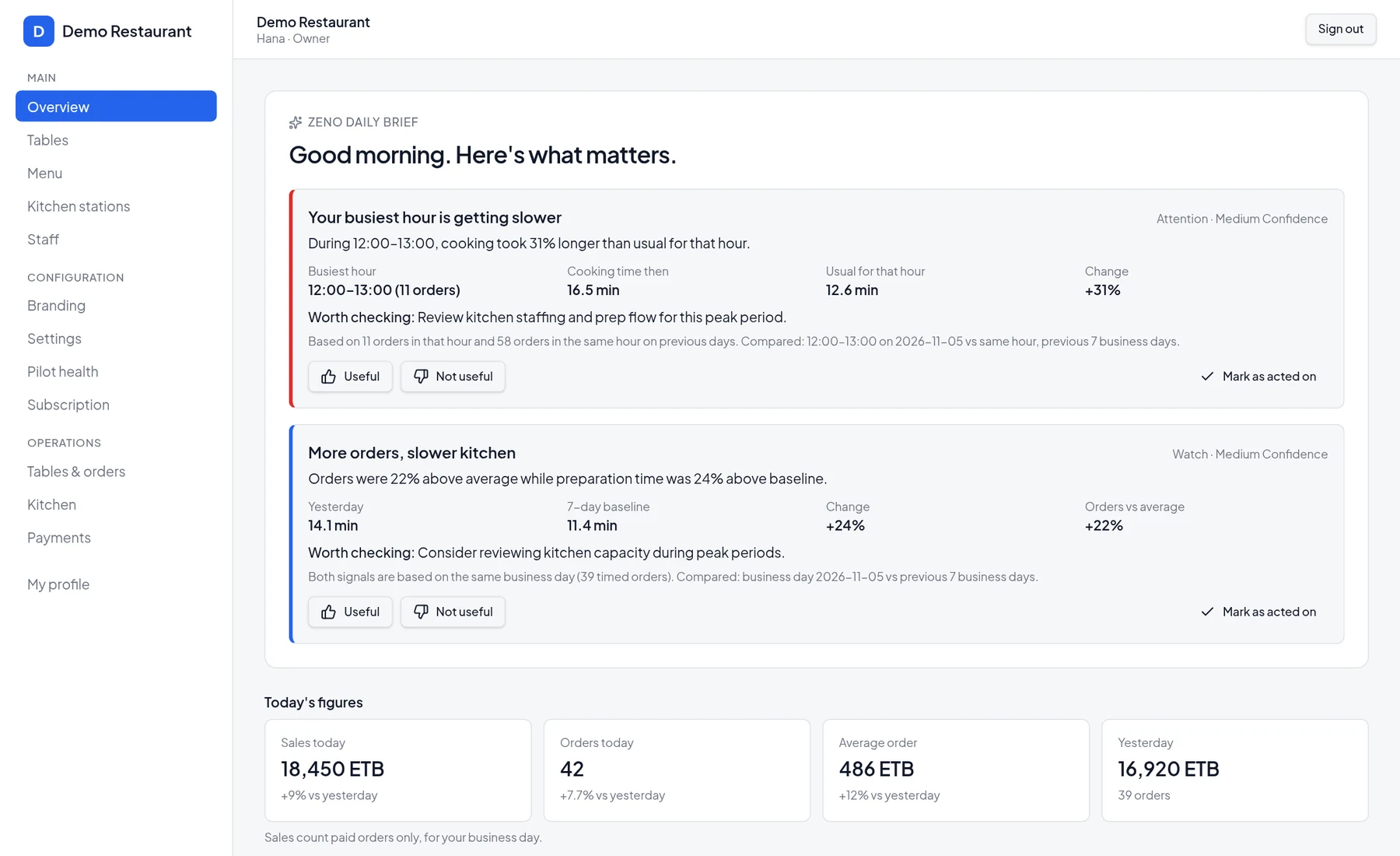
Review sales, order counts, average order value, and comparisons with the previous business day.
Zeno Intelligence
Don’t just see the numbers. Understand what deserves your attention.
Zeno Intelligence helps restaurant managers interpret operational activity, identify noteworthy patterns, and ask better questions about their business.
Zeno Daily Brief
Get a concise overview of noteworthy operational activity, with relevant context to help you decide what to investigate.
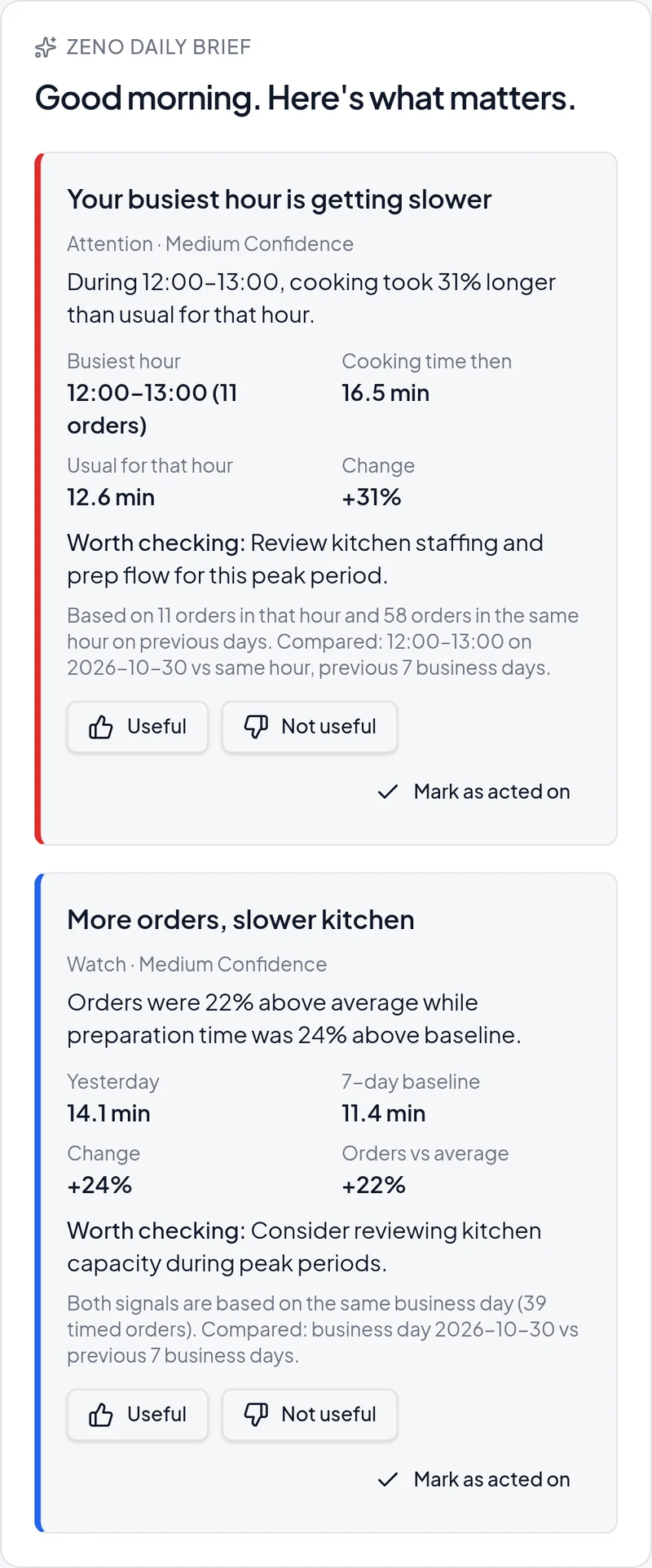
- Noteworthy activity
- Verified evidence
- Suggested follow-up
Ask Zeno
Ask questions about supported restaurant data and get answers grounded in the information available to your account.
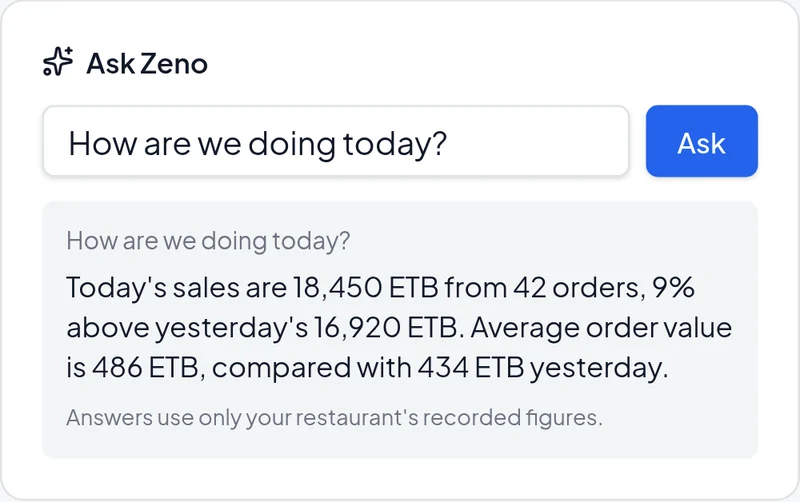
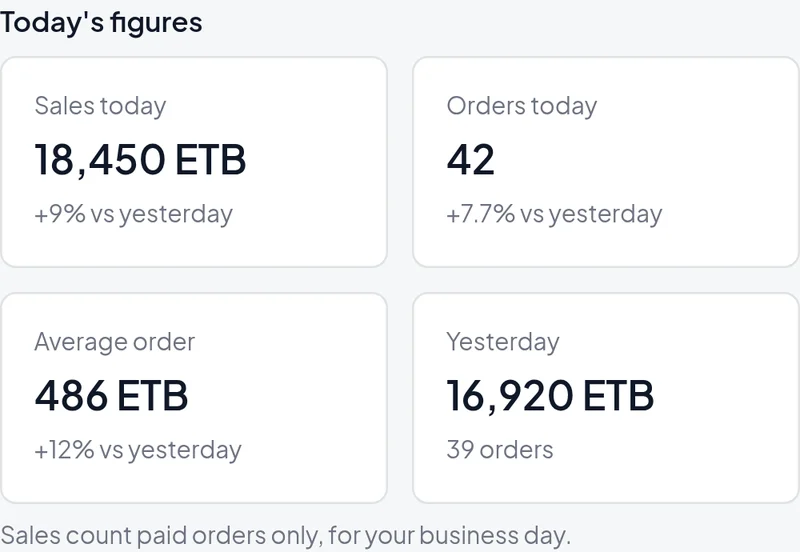
- Sales & orders
- Service times
- Busy hours & late orders
- Restaurant activity
- ZenoOS
- Zeno Intelligence
- Operational insight
- Manager action
Zeno works from figures calculated by the system and supports your managers' judgement. It does not run the restaurant on its own or guarantee business outcomes.
How it works
From daily activity to clearer decisions.
01
Connect the workflow
Manage orders, kitchen activity, payments, and operational reporting in one connected system.
02
Understand the activity
Review daily figures and, when enabled by your subscription, explore insights with Zeno Intelligence.
03
Decide what to do next
Use the information as context for operational decisions and follow-up with your team.
Connected operations
See the screens your team works in.
Real ZenoOS screens, shown with sample data from a demo restaurant.
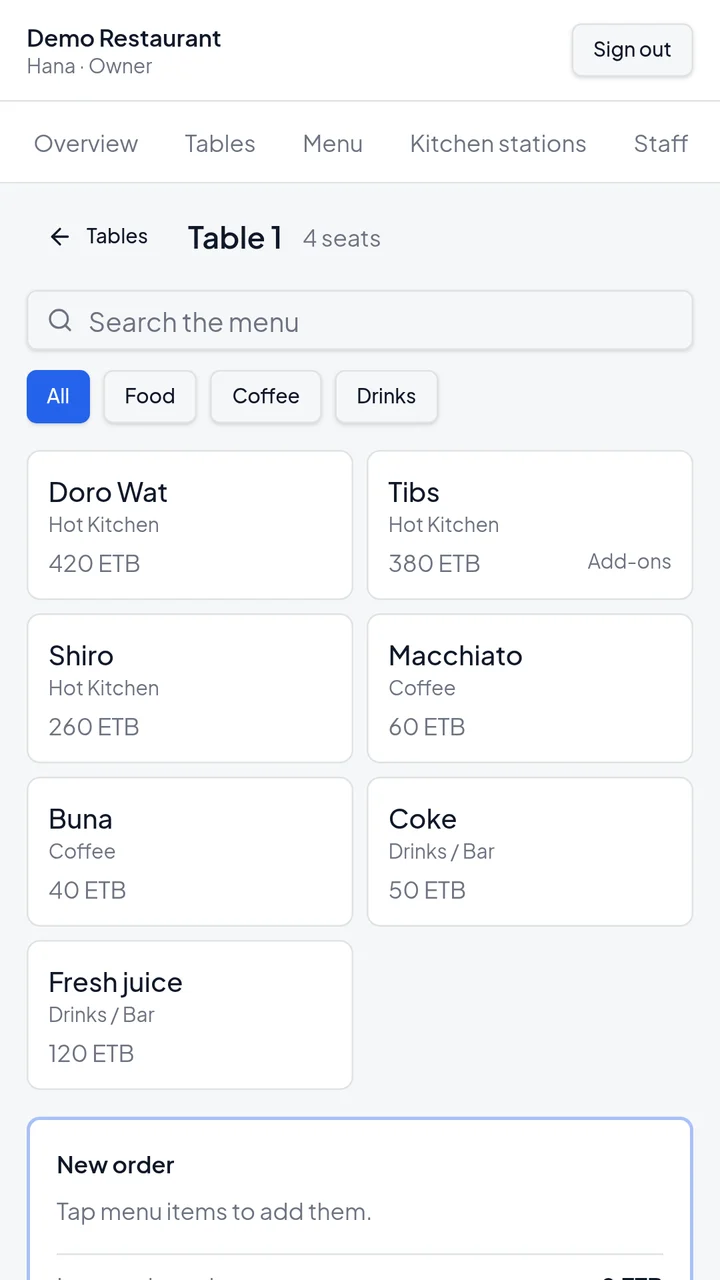
Waiter order-taking
Items route to the right station automatically.
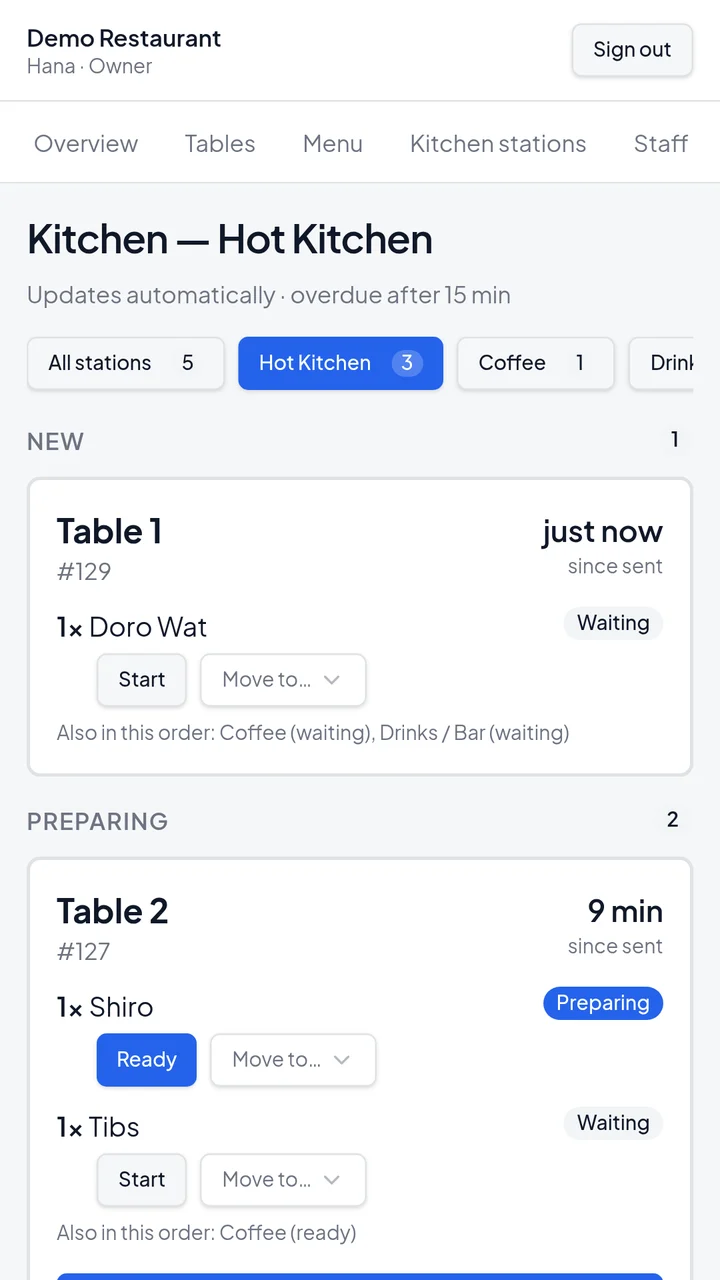
Kitchen stations
Each station sees only its own tickets.
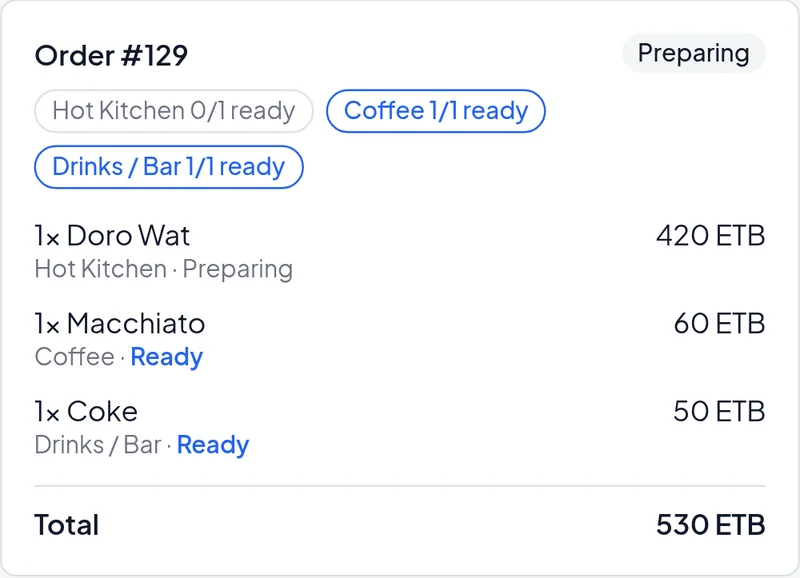
Order progress
Waiters see every station's progress before serving.
Built for the people responsible for every service.
Restaurant owners
Maintain visibility into day-to-day operations and business activity.
Restaurant managers
Coordinate service and identify issues that deserve attention.
Hotel and hospitality operators
Connect supported restaurant workflows within their operation.
Pricing
Choose how your restaurant runs smarter.
Choose a plan and start a 14-day free trial after email verification and restaurant creation. No payment method required.
Essential
Connected operations with a daily summary from Zeno.
Loading…
Included
- Connected order workflows by table
- Kitchen workflow management
- Payment tracking
- Today's figures and basic reporting
- Zeno Intelligence with the Daily Brief
- Ask Zeno not included
Growth
Everything in Essential, plus answers to your questions from Ask Zeno.
Loading…
Included
- Everything in Essential
- Zeno Intelligence and Daily Brief
- Ask Zeno for questions about sales, orders, service times and busy hours
- Menu performance intelligence: best sellers, revenue contribution and item trends
What's coming next
- Inventory & ingredient intelligenceComing soon
Planned stock visibility and ingredient usage insights.
- Sales forecastingComing soon
Planned demand trends to support preparation.
Planned for the future, with no release date yet. They aren't part of the plan today.
Hospitality
For hospitality operators. Not yet available.
Loading…
Included
- Register your interest now
- Details will be shared when it becomes available
After trial expiry, plan-restricted features pause until your subscription is activated. No automatic charges. Your configuration and history stay safe.
Orders, kitchen, payments and today's figures are never switched off by your subscription. Zeno features follow the plan your restaurant is on, and usage is subject to fair limits.
Early access
Get Early Access to ZenoOS
For Hospitality availability or an early-access enquiry, tell us about your restaurant. Essential and Growth trials start from the pricing section.
Already invited?
If your restaurant owner sent you an invite, create your account with the invited email.
Frequently asked questions
Bring your restaurant operations into focus.
Connect the work happening across your restaurant and make better use of the information it generates.